AI Virtual Try On: Upload Your Photo and See How Clothes Look on You
AI Virtual Try On
The all-in-one AI virtual try on for every kind of item: tops, dresses, outerwear, swimwear, shoes, and accessories. Upload your photo and a product image to compare options before you buy — online sellers can also place garments onto model photos for listing images, without arranging a photoshoot. Every result is HD and completely watermark-free.

Try On Any Clothes Online with AI
Upload a person's photo and any garment, shoe, or accessory image — the AI generates a virtual try-on preview in 10-30 seconds. The result is delivered as an HD image with no watermark added.
Please log in to start the AI virtual try on. Don't have an account? Register.
AI Virtual Try On Examples
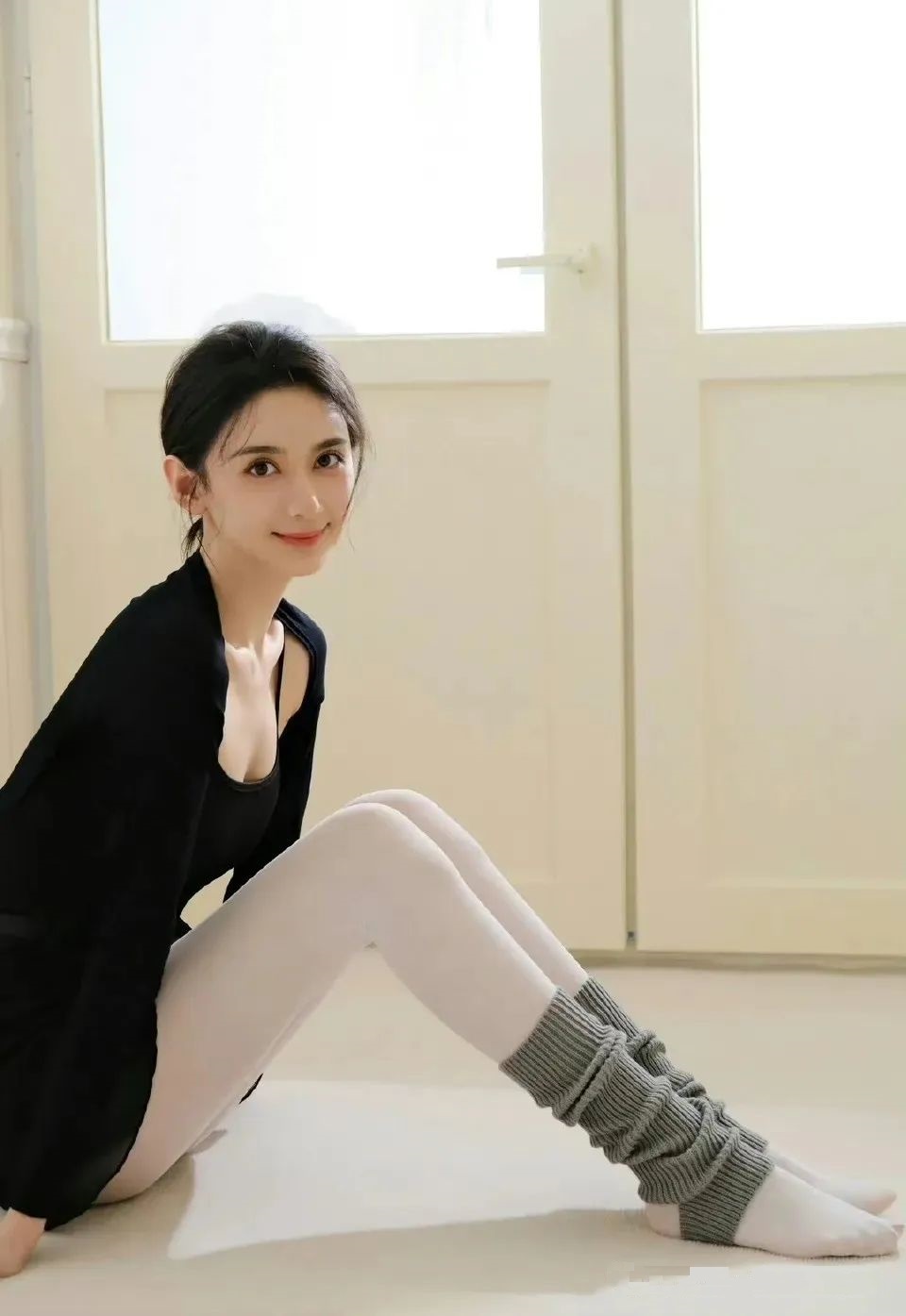
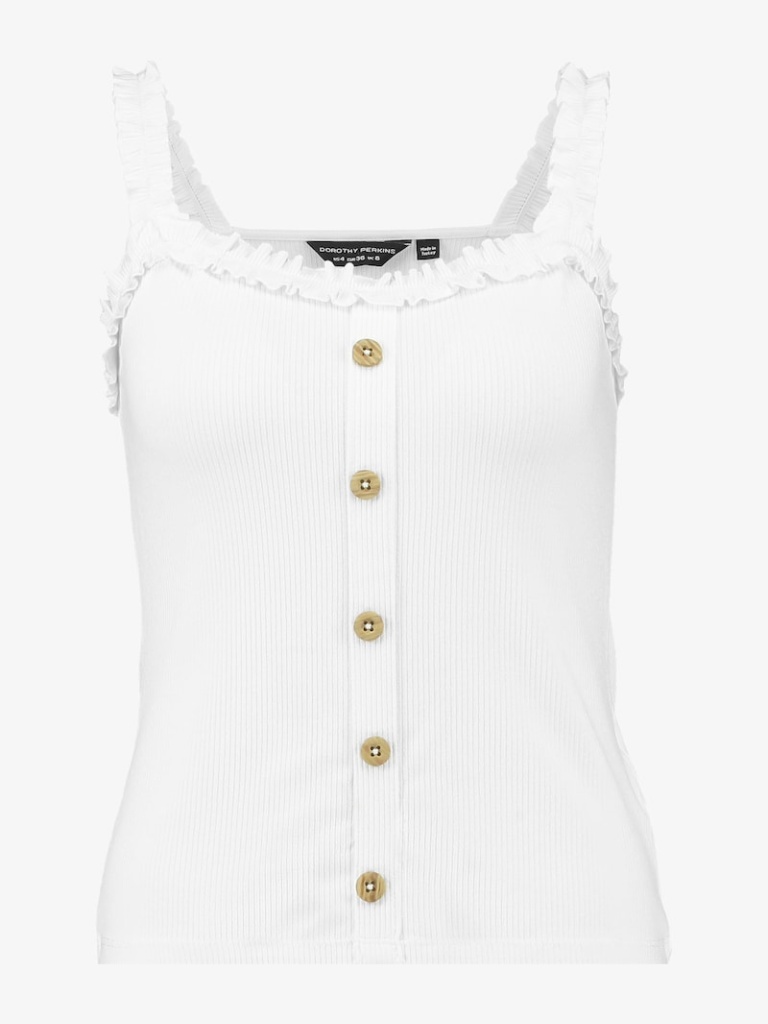
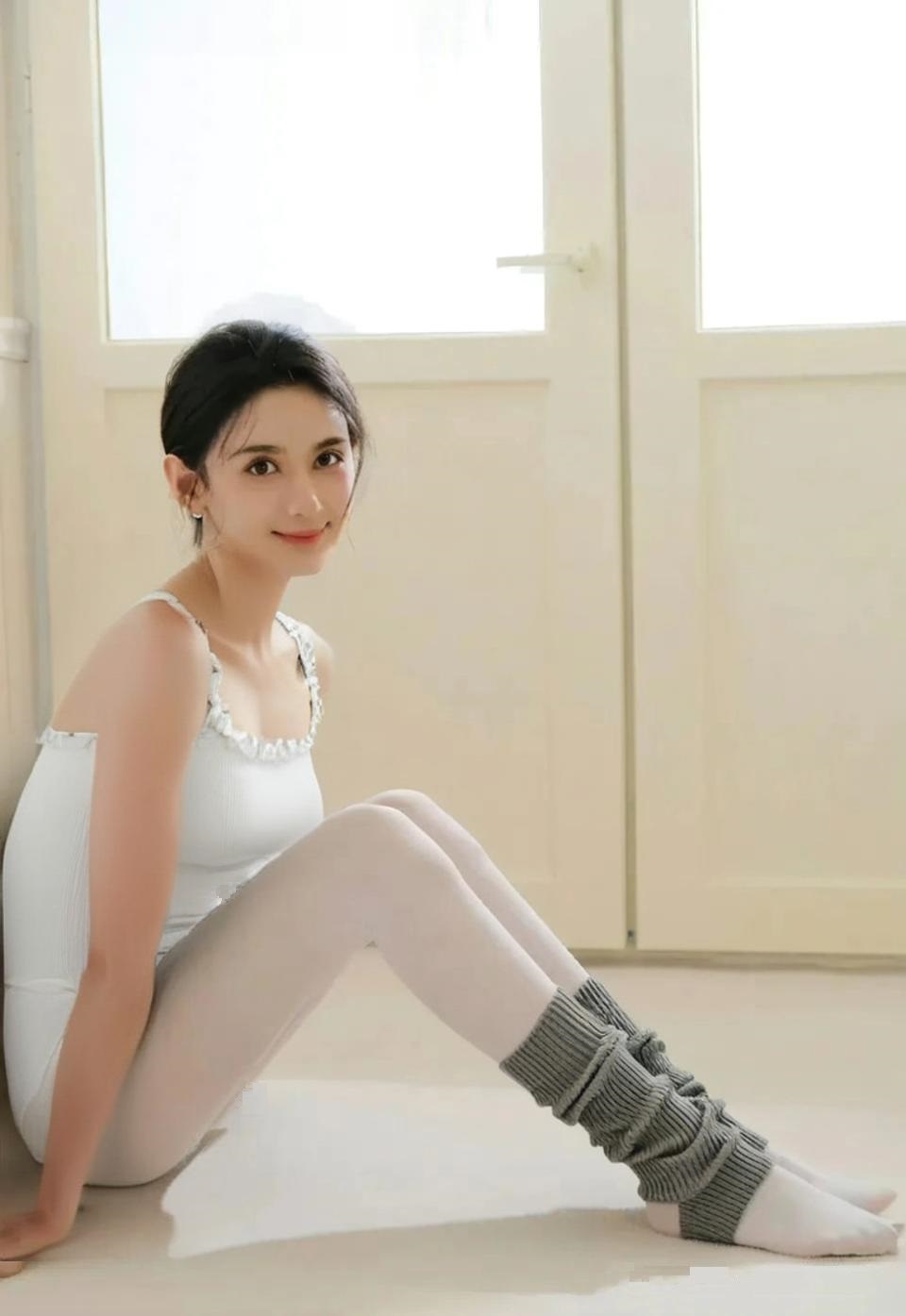
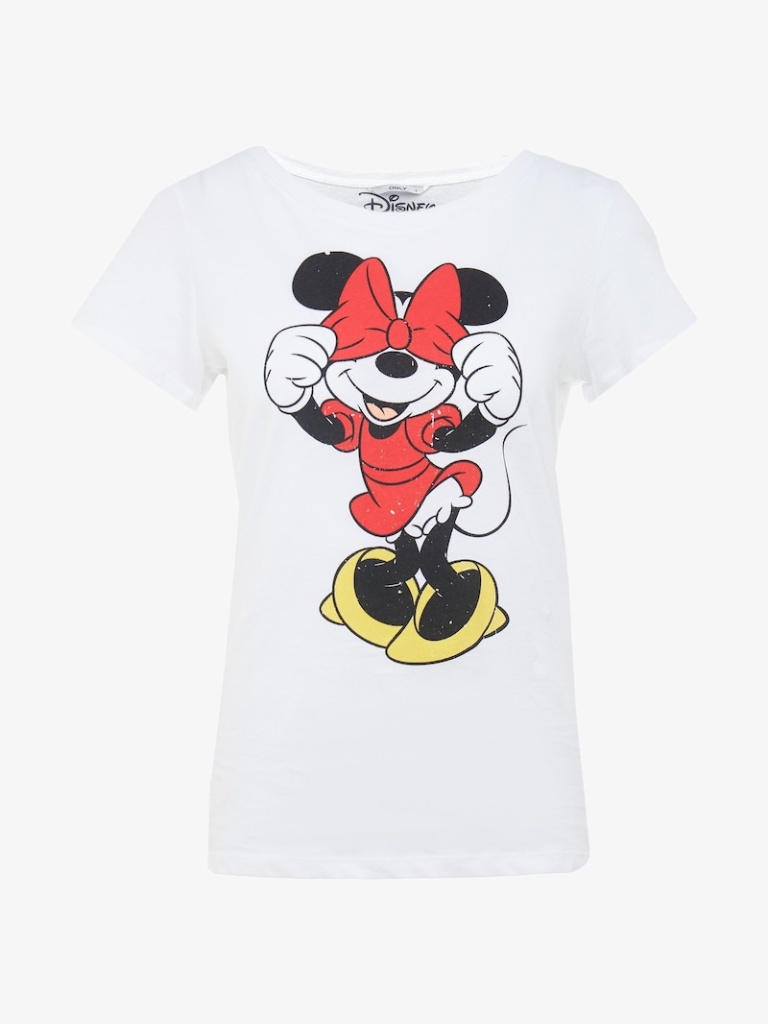
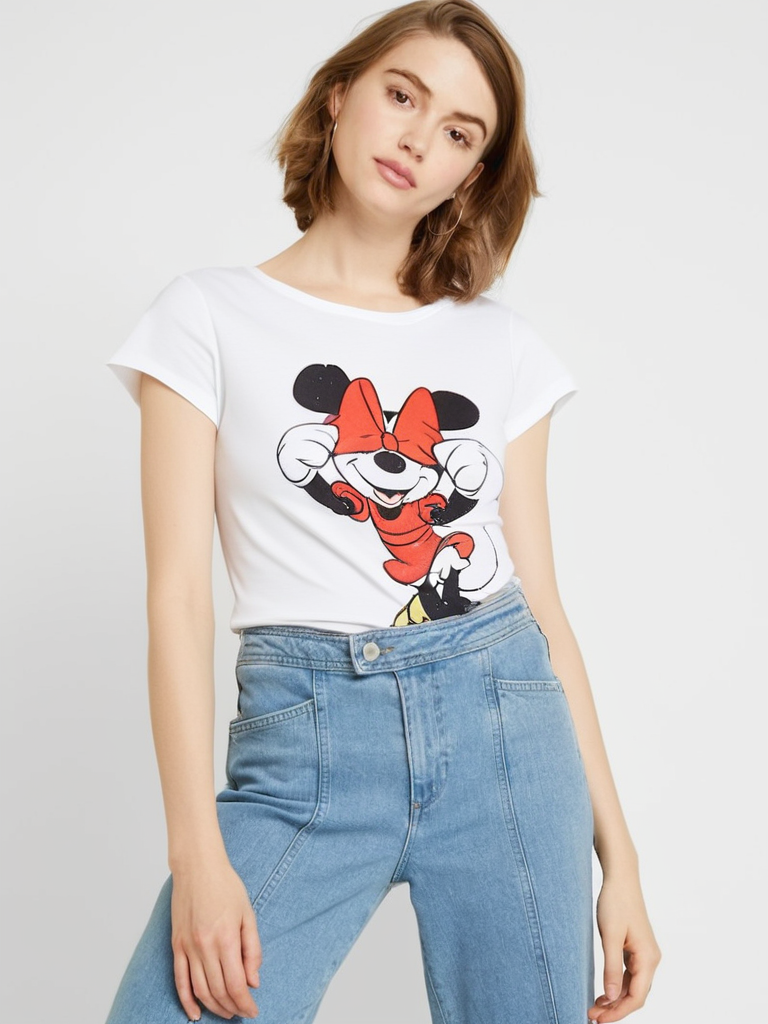
Each example shows the person's photo, the clothing image, and the AI-generated try-on result — the same flow works for personal shopping and for seller product images.
See the Garment on the Actual Photo
The clothing is rendered onto the person in the uploaded photo, so buyers and sellers see the item on a real body rather than a flat lay.
Matched to the Pose
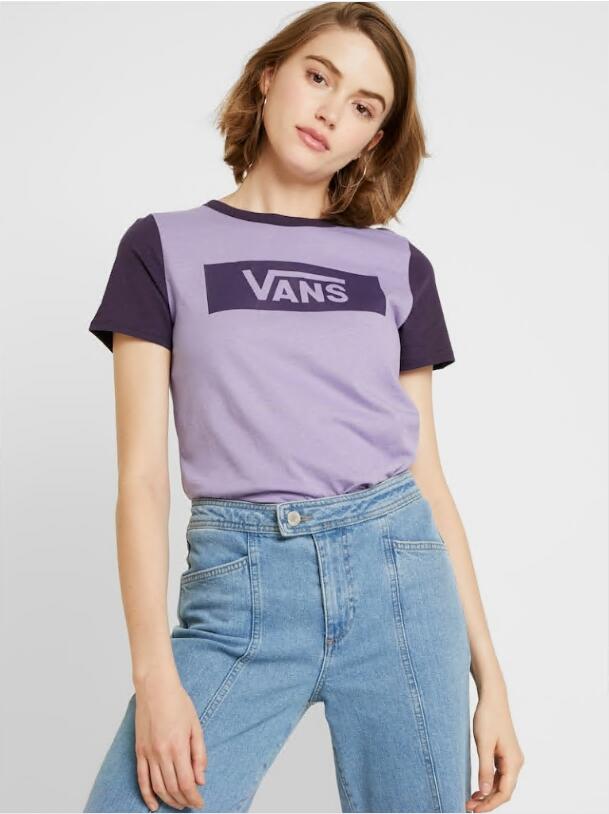
The result keeps the pose and angle of the original photo instead of placing the body into a generic template.


Product Images for Sellers
Online sellers can place garments onto one model photo and reuse it for multiple items, without a new shoot for every product.


Natural Fabric and Folds
Wrinkles, drape, and fabric weight are rendered to match the garment and the body underneath.


Patterns, Colors, and Lighting
Prints and colors stay recognizable, and shadows follow the lighting in the original photo rather than looking pasted on.


Clothing, Shoes, and Accessories
Tops, bottoms, dresses, outerwear, shoes, and accessories all work with the same two-photo upload.
How the AI Virtual Try On Works
One tool for the widest range of items — here is what makes the try-on result look natural in your photo.
Body-Aware Placement
The AI recognizes body contours and pose, so clothing, shoes, and accessories follow the body shape instead of looking pasted on.
Optional Style Notes
Add a short text note describing the fit or look you want, and generate several variations to see which comes closest.
Light and Shadow Processing
The lighting of the original photo is analyzed so the item blends in with consistent shadows and brightness.
HD, Watermark-Free Output
Download the result as a clean HD image with no watermark or logo added, ready to share or use as is.
Privacy
Your photos are used only to generate the result. The details of how your data is handled are in our privacy policy.
Use Any Item Image
Upload product photos from online stores or your own screenshots — you're not limited to a fixed catalog.
For E-Commerce Clothing Sellers
The same tool also helps online fashion sellers prepare on-body product images.
On-Model Images Without a Shoot
Place garments onto model photos you already have or are allowed to use, as an addition to regular flat lays and product shots.
Images in Minutes
Each image takes about 10-30 seconds to generate, so a batch of items can be prepared without scheduling models or a studio.
Clearer Previews for Shoppers
Showing a garment on a body gives shoppers a better sense of drape and proportions than a flat lay alone, alongside your usual product information.
One Garment, Several Model Photos
Run the same garment on different model photos to show how it looks on different body types and styles.
Product Images for Different Markets
Pair your items with model photos suited to different regional audiences without arranging a separate shoot for each market.
A Repeatable Workflow
Keep one approved model photo and run each new garment through it in turn — a simple, consistent way to prepare images for new listings.
Virtual Try On in 3 Steps
Seeing an item on a photo is this simple:
Upload a Person's Photo
A clear full-body or half-body photo with even lighting and a natural pose works best.
Upload the Item
Add a front-facing image of the clothing, shoes, or accessories to try on.
Generate the Result
The AI renders the item onto the photo with natural folds, shadows, and lighting.
AI Virtual Try On FAQ
The complete guide: how virtual try on works, every clothing category it covers, which photos to upload, what results to expect, seller use, and how your data is handled.
What is the AI Virtual Try On System and how does it work?
-The AI Virtual Try On is the main try-on tool on this site: it combines a photo of a person with an image of any clothing item — tops, dresses, outerwear, swimwear, formal wear, shoes, and accessories — and generates a preview of how the item looks on them. It works by recognizing body contours and the pose in the uploaded photo, analyzing the item's style, fabric, and details, then rendering the clothing onto the image with advanced image generation — taking wrinkles, shadows, perspective, and the original photo's lighting into account so the result looks realistic and natural. Shoppers use it to compare options across every category before buying, and online sellers can use the same uploads to prepare on-body product images.
What is the quality of the AI Virtual Try On results?
-Results usually look natural for standard garments. Quality mainly depends on the clarity, lighting, and pose of the photo and on the clothing image being front-facing and sharp. Shiny fabrics, sheer lace, or highly complex designs can produce more variable results. The image is a reference for comparing options, not an exact fitting test.
What kind of photos should I upload for the best clothing try on results?
-For the best results: 1) Person's photo: a clear, full-body or half-body photo with a natural pose, even lighting, and minimal shadows; 2) Clothing image: a high-definition, front-facing image that clearly shows the garment, with minimal wrinkles or obstructions. Natural-light photos tend to produce the most natural results.
What types, styles, and materials of clothing does the AI Virtual Try On support?
-It supports a wide range of clothing types — formal wear, casual wear, sportswear, swimwear, underwear, bikinis, pants, evening gowns, seasonal clothing, T-shirts, shirts, dresses, coats, and more — across many styles, from casual and formal to sporty, as well as accessories such as jewelry, shoes, and hats. It also accounts for the general behavior of common fabrics like cotton, silk, wool, denim, and synthetic blends, including drape, thickness, and sheen. Simple items with a clear silhouette usually give the most consistent results; complex details, unusual materials, very reflective fabrics, sheer lace, or thick leather can be less accurate.
Can I use the AI Virtual Try On for seasonal clothing, winter coats, weather conditions, and vacation outfits?
-Yes. Winter coats, heavy jackets, sweaters, summer dresses, spring outfits, raincoats, snow gear, and warm-weather clothing can all be tried on ahead of time, and outfits for the beach, city trips, or colder destinations can be previewed before you pack. This makes it easy to compare seasonal items out of season, plan for a destination's weather, and avoid taking items you won't wear. Coats and jackets are rendered with their volume and silhouette so you can compare lengths and proportions; very thick or puffy padding can make the result look bulkier and less precise.
Is the AI Virtual Try On suitable for holiday clothing, themed parties, and performance costumes?
-Yes. Halloween costumes, festive sweaters, party dresses, themed outfits, period costumes, and fancy dress can all be previewed before you buy or rent, and dance, theater, and cosplay costumes can be tried on from a product or reference photo. Items covered in sequins, glitter, or many small decorations, or layered and highly detailed outfits, may render less precisely — use the result to judge the overall silhouette.
Can the AI Virtual Try On handle wedding dresses, bridal party attire, prom, graduation, and other formal occasion wear?
-Yes. You can preview ballgown, mermaid, A-line, and sheath silhouettes, evening gowns, cocktail dresses, black-tie attire, prom dresses, graduation outfits, and coordinated bridesmaid or groomsmen looks — plus traditional wedding wear like lehengas, wedding qipaos, and wedding kimonos, including plus-size formal wear. The item is rendered onto the body shape in your photo, so treat the result as a silhouette and dress-code comparison rather than a final fitting; beading, embroidery, layered tulle, satin sheen, and heavy embellishments may be simplified, so check product photos too, and confirm actual fit with the store's size chart.
How effective is the AI Virtual Try On for business attire, suits, work-from-home looks, and work uniforms?
-Very effective. Suits, blazers, dress shirts, skirts, business dresses, blouses, slacks, sweaters, and smart-casual looks can be tried on virtually — useful for refreshing a work wardrobe or checking how a top works on camera for video calls. It also handles business suits, wedding suits, tuxedos, and uniforms for healthcare, hospitality, retail, construction, office, school, team, and club settings, with attention to lapels, shoulders, and sleeve line. A front-facing pose with good posture gives the most accurate picture; collar and lapel alignment depends on photo angle, and actual sizing still follows the supplier's size charts.
How long does it take for the AI Virtual Try On to generate effects?
-The AI Virtual Try On typically generates effects within 10-30 seconds, depending on server load, image complexity, and clothing details. During peak usage times, it may take slightly longer, but we've optimized the system to deliver fast results without compromising quality.
Can I try on multiple clothing items with the AI Virtual Try On?
-Yes. Run several try-ons with the same photo and different items — clothing, shoes, hats, or jewelry — and compare the results side by side to find the combination that works best.
Can I adjust the AI Virtual Try On effects?
-There are no drag or manual editing controls. The only optional input is a short style note describing the fit or look you want — you can also change the photo or the item and generate again to compare variations.
Is my data secure when using the AI Virtual Try On?
-Your uploaded photos and item images are used only to generate the result. What data is stored, for how long, and how it is handled are all described in our privacy policy; please read it before uploading personal photos.
Can I download and share my AI Virtual Try On result images?
-Yes. The result can be downloaded as an image file, so you can save it to compare outfits, post it on any platform yourself, or send it to a friend for a second opinion before ordering.
Does the result image have a watermark?
-No. Every result is a clean HD image with no watermark, logo, or branding added. Download and use it directly, with no cropping or cleanup required.
Why do AI Virtual Try On effects sometimes look unnatural?
-The naturalness of virtual fitting effects depends primarily on the quality and compatibility of input photos. If effects don't look natural enough, it might be because the uploaded photo has uneven lighting, a complex pose, unclear clothing details, or mismatched styles between your personal photo and the clothing photo. We recommend using personal photos with good lighting and natural poses, as well as clothing photos that clearly show details for more natural fitting effects.
What should I do if I'm not satisfied with the AI Virtual Try On effects?
-Try again with a photo that has even lighting and a natural, front-facing pose, or with a sharper, front-facing clothing image. Slight changes in pose or angle often noticeably improve the result. You can also add a short style note or generate a few variations to compare.
Is the AI Virtual Try On suitable for users of different body types?
-Absolutely! The AI Virtual Try On is designed to accommodate all body types. Whether you are slim, curvy, tall, or petite, the system can analyze your body type characteristics based on your uploaded photo and adjust the display effects accordingly. We are committed to providing an inclusive virtual fitting experience for all users, regardless of body type or gender.
Is the AI Virtual Try On system mobile-friendly?
-Yes. It works directly in the browser on your phone or tablet — the layout adapts to small screens, so you can upload photos and check results anywhere without installing an app.
How can the AI Virtual Try On enhance my online shopping experience?
-It removes a lot of the guesswork: you can compare styles, colors, and combinations from home and narrow your choices to what genuinely suits you, which can help reduce returns caused by expectations that don't match the product.
Can I try on traditional ethnic, religious, cultural, vintage, and retro clothing?
-Yes. Kimonos, hanfu, saris, qipaos, dashikis, modest wear, head coverings, and other culturally significant garments can be tried on from a product photo, as can vintage and retro pieces like swing dresses, bell-bottoms, and retro suits. Their draping and folds are approximated; very fine embroidery, embellishments, or delicate period details may be simplified in the preview, so compare a few photos of the item. Distinctive vintage silhouettes are generally easier to reproduce than delicate period details.
Can I virtually try on maternity clothes, children's clothing, and adaptive clothing?
-Yes. Maternity tops, dresses, and pants can be tried on by uploading a recent photo in your current shape — the result follows the body contours in that photo. Children's clothing and adaptive garments can be rendered the same way. Functional details such as magnetic closures or adjustable openings won't be demonstrated in the image — check those against the product description — and remember the result is a style reference, so sizing should follow the relevant size chart. Make sure you have the right to use every photo you upload.
Can the AI Virtual Try On system be integrated into retail websites?
-The tool runs through your browser on this website, though uploaded images are processed by third-party AI providers, and can be used by stores to preview their own products. Embedding it into third-party sites isn't a self-serve feature here; for business or cooperation questions, please contact us directly.
How can fashion stylists use the AI Virtual Try On system?
-Stylists can use the tool to show clients how different pieces might look on their body type before recommending them, and to compare several combinations remotely using the client's own photo.
Does the AI Virtual Try On support sustainable and eco-friendly clothing brands?
-Yes. The tool is brand-neutral — it works with any product image, including items from sustainable and eco-friendly labels, so you can compare them on the same terms as other clothing.
How well does the AI Try On handle fitness, athletic wear, and swimwear?
-Very well. Workout tops, yoga pants, running gear, gym outfits, bikinis, one-pieces, cover-ups, and beach dresses can be tried on the same way as other clothing. Stretchy swimwear fabrics are generally rendered well; very small prints may look less crisp, and actual performance features like compression or breathability can't be judged from an image — the preview shows fit and cut.
Can I use the AI Try On for virtual wardrobe planning and organization?
-Yes. Upload product-style photos of clothes you already own and run them against the same photo of yourself to compare combinations for upcoming events and see which gaps are worth filling.
How effective is the AI Try On for online dating profile outfit selection?
-You can compare a few outfits in advance to shortlist what you'd actually wear for profile photos — just remember the profile picture itself should be a real photo of you.
Can I use the AI Try On for family photo outfit coordination and professional photoshoot planning?
-Yes. Run the same set of outfit options through each family member's photo to compare colors and levels of formality before a portrait session, or — as a photographer or stylist — compare clothing combinations on a model's photo ahead of a shoot to plan looks and reduce outfit changes on set. Only upload photos you have permission to use.
How well does the AI Try On handle custom-made and tailor-made clothing?
-You can preview a similar ready-to-wear garment or a photo of a fabric made into a comparable style to discuss a direction with a tailor. The tool can't render an unfinished custom design, and it doesn't replace taking measurements.
Can I use the AI Try On for virtual clothing rental selection?
-Yes. Preview a rental garment on your own photo before booking it, so you can compare styles for an event. Size and availability still follow the rental company's information.
Can the AI Try On system be used for fashion design and prototyping?
-It can render photos of existing garments onto different photos to get an early sense of a design direction. It doesn't turn flat sketches or fabric swatches into finished garments, so it can't replace a real sample for fit and construction.
Does the AI Try On support fashion accessories virtual try on alongside clothing?
-Yes. Hats, scarves, belts, gloves, and bags can be combined with clothing to preview a complete look. Small, delicate accessories may be less clearly rendered than larger pieces.
Is this also an AI clothes changer?
-Yes — an AI clothes changer and an AI virtual try on tool run on the same process here: upload a photo of a person and a photo of a garment, and the model renders that garment onto the person. "Clothes changer" emphasizes swapping what someone wears in a photo you already have; "virtual try on" emphasizes previewing an item before you order. Both are supported on this page.
Can I change the clothes someone is already wearing in an existing photo?
-Yes. Upload a photo that already shows an outfit, together with an image of the garment you want instead. The AI swaps the clothing in the picture while keeping the person, pose, and background unchanged. The swap fits best when the original outfit is clearly visible and not heavily occluded.
Can I swap outfits on a photo for social media or a profile picture?
-Yes. Reuse one photo of yourself and render several looks with different garment images, then compare them side by side and download the version you prefer. The output is an outfit mockup for your own planning, so use photos of yourself or of people who have agreed to be edited.
Important Usage Disclaimer
Legal and Compliant Use: This AI Try On tool is intended solely for legal e-commerce display, fashion retail, and personal creative purposes. Users must ensure they have legal rights or ownership of uploaded photos and clothing images.
Content Guidelines: Uploading or generating any images that violate laws and regulations, infringe upon others' rights, contain pornography, violence, or other inappropriate content is strictly prohibited. This tool is for legitimate commercial and personal creative use only.
Privacy Protection: Do not upload portrait photos without authorization from the individuals concerned. All uploaded content will be processed strictly in accordance with our privacy policy, but users bear full responsibility for the legality of uploaded content.
Result Disclaimer: AI-generated virtual try-on effects are for reference only. Actual products may vary due to material, craftsmanship, lighting, and other factors. It is recommended to make purchase decisions in conjunction with detailed product information.
Violation Handling: For any use that violates this disclaimer, the platform reserves the right to immediately terminate services, delete relevant content, and pursue legal action.
Ready to Try On Clothes Online?
Upload a photo of yourself and any garment, shoe, or accessory image to preview the look in your browser.